

Reference

FAQ — What You Actually Want to Know

We keep this page updated with the questions our support desk hears most often. From DANA deposit steps to account verification and lobby access on mobile, the answers below cover the practical stuff so you spend less time searching and more time in the…

DANA & OVO StepsAccount AccessWithdrawal ClarityMobile Lobby HelpGoPay Deposits
bulan33 FAQ — What You Actually Want to Know
THREE COMMON AREAS

Where Most FAQ Questions Land

We grouped the most-asked topics into three clusters so you can jump straight to what matters.

Funding Your Account
You send from DANA, OVO, or GoPay to the number shown in your deposit panel. Confirm with your e-wallet PIN, and the amount reflects in your bulan33 balance.
Login and Verification
Your account uses a phone number and OTP code at each login. If you switch devices, the same OTP process applies — no separate app required.
Navigating Games on Mobile
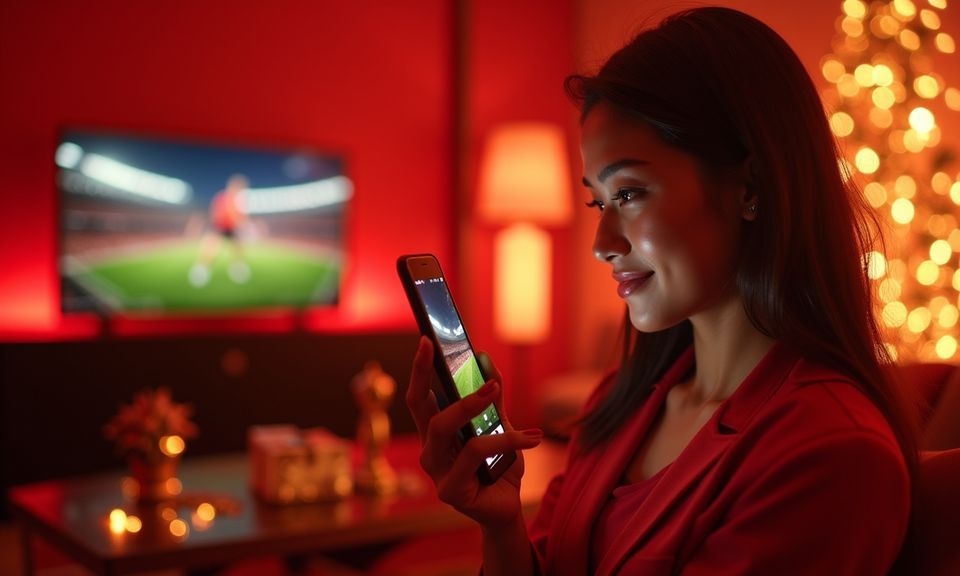
Open bulan33 in your mobile browser — Chrome, Safari, or any modern browser works. The lobby adjusts to your screen size automatically.
bulan33 mobile gaming
BEYOND THE FAQ

When These Answers Are Not Enough

If your question is not covered below, reach our team through three channels — each staffed by people who know the deposit and account systems firsthand.

Live Chat Tap the chat icon in the bottom corner of any page. An agent picks up and can check your transaction status, verify account details, or walk you through a withdrawal hold.
Email Send a message with your registered phone number and a brief description. Email works well for non-urgent items like updating personal details or requesting transaction history. Attach screenshots if relevant — it speeds up the resolution considerably.
Telegram Channel Follow our Telegram for service updates, scheduled maintenance alerts, and quick FAQ additions. You can also message the channel bot to get pointed to the right support path without switching to a browser. Useful when you are on mobile data.
bulan33 Why We Built This FAQ Page

Why We Built This FAQ Page

Most questions we receive fall into three buckets: how deposits work, how to access your account on different devices, and what happens during withdrawals. Rather than make you wait for a live chat reply, we put the clearest possible answers here — written by the same team that handles your transactions daily. If you deposit through DANA, OVO, or GoPay, you already

know the PIN-confirm flow inside those apps. The FAQ entries below walk you through exactly how that connects to your bulan33 wallet, what to check if a transfer seems delayed, and how verification works before your first withdrawal clears. We also cover lobby navigation on mobile browsers, the OTP login process, and how to reach our support team when something falls outside

these answers. Players in Bandung and everywhere else across eligible regions get the same experience — one account, same lobby, same payment rails. Availability depends on local law and eligible regions, so check your area applies before creating an account.

  • DANA
  • OVO
  • GoPay
WHAT DEFINES BULAN33

Elements That Shape Your Experience Here

Beyond the FAQ answers themselves, these are the things we hear you appreciate most about how the platform works day to day.

Single-Lobby Layout Slots from Pragmatic Play, live tables by Evolution, crash games like Crash Skyrise Arena, and our sportsbook with Liga 1 football markets — all sit in one lobby. No separate apps, no jumping between sites. You switch categories with a single tap.
Mobile-First Build The interface was designed for phone screens first, desktop second. Buttons, deposit panels, and game tiles scale to your device. Players in Medan load the same lobby as anyone on a laptop — identical features, same speed.
Local Wallet Integration DANA, OVO, and GoPay are not afterthoughts bolted on. They are the primary funding paths we built around. The deposit panel shows your chosen wallet's account target immediately — no bank forms, no SWIFT codes.
Quick Verification Flow One-time ID check before your first withdrawal. Upload a photo of your ID through the account settings page, and verification completes so subsequent cashouts skip that step entirely. Simple and done.
Game Variety Without Clutter We carry slots like Sweet Bonanza and Gates of Olympus, live dealers including Speed Blackjack Live, fishing games such as Fortune Fishing Game, and MotoGP Race Bet in the sports section. Curated, not overwhelming.
Consistent Lobby Uptime Scheduled maintenance windows are announced on our Telegram channel ahead of time. Outside those rare windows, the lobby stays accessible. If you hit a loading issue, the FAQ above covers the quick fixes.

Quick Facts Behind These Answers

These structural facts ground the FAQ answers you read below — verifiable details about how the platform operates for you.

Local e-wallets supported (DANA, OVO, GoPay)3
Full lobby access on bothMobile + Desktop
Encryption on all account pagesSSL
Site language for Indonesia visitorsEN
WHY THESE ANSWERS HOLD

How We Keep FAQ Content Accurate

Every answer here reflects real operational procedures — not marketing fluff. We update entries whenever a process changes so the page stays reliable.

Written by Operations

Our payment and support teams draft FAQ answers directly. They handle deposits and withdrawals daily, so the steps described here mirror exactly what happens on the back end when you send funds from DANA, OVO, or GoPay.

Updated on Change

When we add a new verification step or adjust how withdrawals process, the FAQ is edited the same day. You will not find outdated information pointing you to a flow that no longer exists — that frustrates everyone.

No Invented Numbers

We do not fabricate processing times or limits. If a deposit via GoPay clears fast, we say so qualitatively. Where exact timeframes vary by your bank or wallet provider, we say that too — honesty over polish.

Consistent Across Channels

The same answers live chat agents give you are the ones printed here. We maintain a single internal knowledge base so whether you read the FAQ or ask support, the information aligns without contradiction.

Player-Driven Topics

Questions get added based on actual support tickets. If ten people ask the same thing in a week, it becomes a new FAQ entry. This page grows from real demand, not guesswork about what might be useful.

Regional Awareness

Availability depends on local law and eligible regions. Our FAQ reflects this by noting where access conditions apply, rather than making blanket statements. We respect that your jurisdiction matters.

Frequently Asked Questions at bulan33

Below are the questions our support team answers most often. Each response gives you the specific steps or explanation — no vague pointers.

Open your deposit panel in bulan33, select DANA, and copy the account number displayed. Switch to your DANA app, paste the number, enter the amount, and confirm with your PIN. The balance usually appears in your bulan33 wallet within moments. If it does not, compare the transaction ID in DANA with the one shown on your deposit page.

Yes. The process is identical to DANA — select your preferred wallet in the deposit panel, copy the target number, send via OVO or GoPay, and confirm with your PIN. All three wallets follow the same three-step flow, so switching between them requires no extra setup on your account.

First, check your e-wallet app to confirm the payment actually completed and was not still pending. Then compare the transaction reference number with the one shown in your bulan33 deposit history. If both match and the balance is still missing, contact live chat with a screenshot — an agent can trace the transfer on our end.

Enter your registered phone number on the login page. We send a one-time code via SMS to that number. Type the code into the verification field, and you are in. No password to remember, no app to install. If your SIM has changed, update your number through support before switching devices.

Your first cashout triggers a one-time ID verification step. Upload a clear photo of your ID in the account settings section. Once our team confirms it — which happens within a short window — the withdrawal processes and all future cashouts skip this step entirely.

They do. Open bulan33 in Chrome, Safari, or any modern mobile browser. The lobby and every game — slots like Gates of Olympus, live tables such as Speed Blackjack Live, crash games including Crash Skyrise Arena — all run directly in the browser. No APK, no app store visit.

Your account is tied to your phone number and secured with OTP at every login. If someone else has your device, they still need the SMS code sent to your SIM. Contact support immediately to freeze the account if your SIM is also compromised — we can lock access until you verify your identity.

Head to the sportsbook section in the lobby. Liga 1 fixtures appear alongside European football leagues. Tap the football category filter and you will see available matches listed with their market options. Availability of specific fixtures depends on the match schedule and what our sportsbook provider covers.

Tap the live chat icon on any page for real-time help — an agent can see your account details and transaction history. Alternatively, email us with your registered phone number and a description of the issue. For service alerts and quick routing, our Telegram channel also connects you to the right path.

Access depends on local law and is available where local regulations permit. We serve eligible regions in Indonesia through DANA, OVO, and GoPay as primary payment paths. If you can complete a deposit through one of these wallets and access the lobby, your region is supported. Check local regulations if unsure.